Thinking of level design and game making I came across with many many concepts that I probably didn't consider before. Ideas that I probably had in the back of my mind after years of playing different games, yet it's been so enlightening to find people expressing those ideas and knowing that it wasn't me just being picky with some game is also pretty comforting.
It's pretty hard , nearly impossible, to generalise guidelines and 'must' to all games, as part of the beauty of game making is being creative and inventing new ways of playing is always a possibility.
In my particular case, while working on Sanctuary, I started making looking at ideas of how to make a Metroidvania game, but because is a mixture of styles, I ended up looking at the individual styles. In the case of the platforming mechanics, I came across with Kynan Pearson's blog called Subtractive Design and a very helpful 'guide' for the making of platforming guide.
These are some of the main ideas I got from the article:
- Don't Underestimate: Anything you plan to do will take 3-4 times longer and require more effort than you will anticipate. This ones is terrifying, but at least is a warning that will hopefully improve my time management.
- Foundation:
+The camera is my game.
+Camera must be stable and smooth.
+Don't keep the character on the centre of the screen.
+Build the levels to support a particular style of camera.
-Jumps:
+Make the jumping feel great!
+Good jump is responsive, weighty and forgiving.
+Consider the retention of inertia in the art (moving while jumping).
+If there's no air control after the jump, then the level design has to be measured under a strict grid.
+Controlled jumps, wall jump, late jump, edge assistance, ledge grab; there are many other considerations when configuring the jump.
-Level:
+Level collisions should be very clean and precise.
+Avoid round ledges.
+Interaction with enemies/NPC should feel consistent.
+If it's awkward, fix it!
+Keep background and interactive/playable aspects with an obvious separation.
+Even pacing isn't always good. Mix up difficulties within reason.
-Branding:
+Names matter; define levels, it will inspire people to do more.
+Take the easy path; polish if there's extra time.
+Give it Character.
+Make it Memorable.
+Landmarks! and if they move is better.
As I'm writing this I'm quickly testing and trying the Construct 2 engine, and I feel like there's a lot of these ideas I'd like to implement or fix.
There's a lot more on this blogpost, and if you're thinking on making one game yourself I would totally recommend to read it. (also you can follow him on twitter)
6.3.14

Quick introduction to the characters - initial concept art
The ideas I came up with Sanctuary started just as a way to merge my interest in stylised imagery and fantasy, creating a pleasant looking game. After working on the conceptualisation on the main character and some of the principal NPC, I started to reflect some of the personalities of people around me, and even more I started reflecting some of my own personal problems into the characters.
Without going too into detail or to literally just make a fantasy version of my friends/family, I started creating some personalities for each character. This initial level that I'll be working on, only compels the escape and intro of the potential game. The NPC's that appear here are not necessarily going to be playable characters, but if the project was to go further, I would certainly want to give them an important role in the story. Pretty much all their personalities clash; each character will posses not only a determined personality, but they will have their own insecurities, concerns, strength and weakness. The main character will be an unusual hero type, as I want her to be the one who experiences the world and her task while dealing with insecurities and anxieties about herself.
Loneliness is a key concept here; each NPC is the last one of their type, and this is the 'quality' that will unite them as a 'family' later on.
Once I finish each of the characters final art, I'll go in depth on their personalities, in the mean time, here's some of the initial concept art:
Kamea: The main character of the story, unicorn.

Alba & Kera: Dawn and dusk nymphs.

Teles: The male nordic siren

Azmer: The Centaur/Wemic

The dragon (working on name)

This is just quick ideas for the 'bad guys'. I thought of rabbits/hares well dressed, as they're serving a rich and powerful wizard. Also wanted to play with the idea of some of them just not caring about their jobs and not being aggressive... this guys might not be on the final level, as I'm not entirely sure if I'll be able to put a battle system.

27.2.14
Treasure Adventure World

This is one of the first games that I came across when I was looking for indie games made on the same engine and that shared similar characteristics to what I want to make. Treasure Adventure World (TAW) is a remake of Treasure Adventure Game (TAG) by Robit Studios, a team that is for by 3 guys based in NewYork. This remake carries on with an open-world side-scrolling platform adventure game (Metroidvania) which has as the aim to sail the world, search for ancient artefacts and fight an evil demon. It also has sail-boat upgrades and enhancing gear mechanics.
The looks of the game went from a pixel version to a pretty and clean line that looks full of live and hand-drawn.

I've tried the demo and you can spot the parts that they need to work on, yet it looks like a decent project for the size and time the group have spend on it.
Some of the features that they implemented on the remake that I found quite interesting was making the main character a silent one. This character looks gender-less and I think it helps the player to make his/her own interpretation, helping to the immersion of the story. I thought about taking that route, but at the end I opted for making the main character a girl and push the narrative.


Left- Main Character (TAW) Right- Evolution of graphics from TAG to TAW
In relation to what I want to do, it has been a role model in some aspects, specifically when it comes to the interaction with the NPC. The conversations presented react in different ways depending on whether you've done a certain task or not. It also has some hidden objects or text that slightly complement the story.
At this point I've been struggling to make that NPC interaction to work, and even thought it's not essential for the submission, I'd love to get some narrative into it, specially because it will only have a very simple game play.
24.2.14
Sanctuary - test 1
Well after reading loads and loads of tutorials I decided to start testing and dropping stuff together as I develop the concept art. Over all I can say that the characters, NPC and some of the backgrounds are pretty much finished idea wise, so soon I'll start introducing them. I have a thing about 'branding' my own work, just because I seem to get more attached to it and it's easier to discuss about it.
The name of the game is 'Sanctuary' so from now on, you'll hear a lot about it.
If you go to this LINK it should show a very rough version of the game:
(Hopefully it works, as one of the things I'm testing is exporting the game itself) [you play with the arrow of the keyboard]
Some of the characters in there are inspiration examples of what I want to achieve, they helped me to get sizes right. The average size of characters is 150 pixels high...
Things I've done on this test as an achievement are:
-Mobility of the character: walk, jump, climb
-Camera following the character
-'Animation' sprites for the main character (it technically works, yet I'm only using a test image)
-Invisible collisions and jump though platforms
-Positioning of objects and background in different planes, at the same time adquiring a sense of depth through implementing some parallax motion
There is A LOT to do yet. My next challenge at this point is add the text and 'interaction' with the NPC as for what I can see in tutorials is quite an extensive process that requires a lot of planning. Crossing fingers other people can play it. Bare in mind: 1) this is my first attempt to make games myself 2) graphics wont be this ugly [hopefully] and 3) the movement and collisions won't be rough.
The name of the game is 'Sanctuary' so from now on, you'll hear a lot about it.
If you go to this LINK it should show a very rough version of the game:
(Hopefully it works, as one of the things I'm testing is exporting the game itself) [you play with the arrow of the keyboard]
Some of the characters in there are inspiration examples of what I want to achieve, they helped me to get sizes right. The average size of characters is 150 pixels high...
Things I've done on this test as an achievement are:
-Mobility of the character: walk, jump, climb
-Camera following the character
-'Animation' sprites for the main character (it technically works, yet I'm only using a test image)
-Invisible collisions and jump though platforms
-Positioning of objects and background in different planes, at the same time adquiring a sense of depth through implementing some parallax motion
There is A LOT to do yet. My next challenge at this point is add the text and 'interaction' with the NPC as for what I can see in tutorials is quite an extensive process that requires a lot of planning. Crossing fingers other people can play it. Bare in mind: 1) this is my first attempt to make games myself 2) graphics wont be this ugly [hopefully] and 3) the movement and collisions won't be rough.
User Interface (UI) experience - out of the comfort zone
Since I joined Nellyvision as a game artist, I was put to work on two small side projects; one was the remake of the game we made for last's year Game Hack called Envy and another school pixel project. I was pretty happy coming out with concepts for it, but then they asked me to help them with a more urgent project they had in hand. Part of the Football ManagerZone website wanted to have the game on an mobile app. When I joined they already had some work done, but pretty much it required a completely make over as the icons looked outdated. I thought I was just going to be working on it temporally, yet I ended up staying with it.


I must confess, I hate football... sports is not my thing and football is one of the worst ones, I know nothing!
Either way, I had to do it. User Interface is something I've always wanted to try; it involves a lot of graphic design knowledge as they entire project has to look unified. Fonts are something we couldnt get involved with it as the app will have multiple language translations so we were quite restricted in that sense, which at the end it worked better for my benefit.
Getting me out of my comfort zone has been more positive than what I expected, as I've learn to work with topics that I'm not familiar/interested with. Had to do some research to understand what I'm doing and get involved with sport trends for colours and shapes. The app is still in process but I'll put some screenshots from the testing app we share within the company.
One of the biggest challenges is learning to work in a non destructive way in photoshop, keep everything properly named and organized. Working along with programmers involves a matter of them testing and telling you 'reduce the size of ___button by 2 pixels high' for example, so you have to be ready with all the files and make quick changes without affecting the over all look. So far I've done over 100 icons and buttons and more to come. Certainly is something you have to do quick.
Certainly been a challenge and has put me on interest to keep updating designing trends. (definitely still don't like football...)
13.2.14
Construct 2
So the game level I have planned has been approved, and it's time to look at the engine. From the multiple "code-free" engines that I looked at, I ended up going for Scirra's Construct 2, mainly because it seems to have a very good manual, excellent community support and ...well...it's free.
I also saw some awesome examples of other one-man-team that managed to achieve some really nice games, which really inspired me to go for it.
The download and installation was dead easy, and after messing about along with some basic tutorials I have to say that I fell in love with it. From not being able to code at all to suddenly having a block character moving around and jumping over platforms was a pretty good feeling.
The amount of tutorials that people have made on the community website is not necessarily well organised and with the amount of submissions, it can take quite a while to select the ones that could be useful. So far I've done only random silly tests, and once I figure out how upload them online, I'll start posting some of my testing to get some feedback.
At this point, I've targeted the stuff that I can do, such as the parallax effect on the background, while still haven't figured out how to make fights happen or even text trigger scenes. This is making part of the potential game play like battle with the guards and cutscenes as an plus on the end product.
So far I can happily recommend this engine for anyone who wants to try making games without knowing much about coding. All is required is having logic...loads of logic and organisation.


(this is The Iconoclast, a game made by Joakim Sandberg done in construct 2 with using pixel art)
12.2.14
HEART FORTH, ALICIA
One of my biggest inspirations for this project was the kickstarter of "Heart Forth, Alicia".
The game is absolutely beautiful and the story seems promising.
The dynamism of is is what makes it so attractive. All the animations seem pretty well done, and everything just looks perfect.

I remember following the blog on early stages and it certainly has added a lot of extra content, better shading and special effects.

Happy to know that other Mexicans are working on gaming projects of such a high quality. Looking forward to have a go at it, and certainly Alonso Martin has done an excellent job.
The game is absolutely beautiful and the story seems promising.
The dynamism of is is what makes it so attractive. All the animations seem pretty well done, and everything just looks perfect.
I remember following the blog on early stages and it certainly has added a lot of extra content, better shading and special effects.
Happy to know that other Mexicans are working on gaming projects of such a high quality. Looking forward to have a go at it, and certainly Alonso Martin has done an excellent job.
7.2.14
Level Design - Playing with the player
So far I've been focusing on the conceptualisation and creation of characters and assets for games. Now that I've set myself to create a game I started thinking on so many more aspects that I haven't consider before.
Some of the books I've read about Storytelling and Game level design bring up some point on which game developers have to engage to 'play' with the players' mind and make the game more enjoyable. More than tricks, these are mental motivations for the brain to find the game attractive and encourage the user to keep playing it.
1- Progress Measure; Experience bars or a way to record the progress is a way to evoke the notion of always be evolving. Reward the player for achievements and always get 1xp for every action.
2- Multiple tasks; Add short objectives that require a variety of actions to achieve and that the sum of these will achieve a long term one. Any complex quest must be split into important pieces so that people can feel encouraged to win.
3- Rewarding efforts; Always reward efforts (money, exp, power, skills,etc) and not only by completing, but also for trying. Avoid punishing faults.
4- Feedback the player; Always notify the user of the relation between actions and consequences, and make sure it's clear, quick and clean, this way they can understand, learn and change in a fast way.
5- Add the element of uncertainty; the magical reward of the brain. Any known effort delights people, but an effort with variable possibilities creates the sparkle in the brain.
6- Social Network; Having people comparing their efforts by commenting, participating and working together is an exciting part for the player. Creating items, expansions, patches or a user network to collaborate and keep the 'competitive' sense balanced with the comparison will be the key for a social success.
Now all of these points sounded slightly cruel at first, yet I think the correct use of these can be a small captivating option that will only compliment the story and game play of the game.
Just as I'm writing this, I've started my test of the engine and so far I love the logical approach it has. I'm surprise of how different the creation of the game itself is in relation to the character creation only.
Some of the books I've read about Storytelling and Game level design bring up some point on which game developers have to engage to 'play' with the players' mind and make the game more enjoyable. More than tricks, these are mental motivations for the brain to find the game attractive and encourage the user to keep playing it.
1- Progress Measure; Experience bars or a way to record the progress is a way to evoke the notion of always be evolving. Reward the player for achievements and always get 1xp for every action.
2- Multiple tasks; Add short objectives that require a variety of actions to achieve and that the sum of these will achieve a long term one. Any complex quest must be split into important pieces so that people can feel encouraged to win.
3- Rewarding efforts; Always reward efforts (money, exp, power, skills,etc) and not only by completing, but also for trying. Avoid punishing faults.
4- Feedback the player; Always notify the user of the relation between actions and consequences, and make sure it's clear, quick and clean, this way they can understand, learn and change in a fast way.
5- Add the element of uncertainty; the magical reward of the brain. Any known effort delights people, but an effort with variable possibilities creates the sparkle in the brain.
6- Social Network; Having people comparing their efforts by commenting, participating and working together is an exciting part for the player. Creating items, expansions, patches or a user network to collaborate and keep the 'competitive' sense balanced with the comparison will be the key for a social success.
Now all of these points sounded slightly cruel at first, yet I think the correct use of these can be a small captivating option that will only compliment the story and game play of the game.
Just as I'm writing this, I've started my test of the engine and so far I love the logical approach it has. I'm surprise of how different the creation of the game itself is in relation to the character creation only.
30.1.14
Extended Practice proposal
So since before we broke for christmas break we were given the briefed for the Extended Practice module which works out as a final mayor project. Straight away I knew what I wanted and need to do, mainly because I want to take part on the GameRepublic Student show case 2014. Hearing some of the judges last year I noticed that what they want to see more is playable games, not just artwork, characters or empty environments. This straight away made it quite difficult as I know near to nothing about programming, but before giving up I went and did a bit of research. It turns out that there are plenty of softwares out there that help you make a game without the need of learning complicated coding languages such as RPG Maker, Scirra's Construct 2, Stencyl, Game Maker and UniRPG, among many many others.
Most of them where made for 2D games that require sprite sheets. I really wanted to try something simple in 3D as 2D sprite sheets is pretty much what I do at work, but there aren't many engines on 3D that are easy to learn.
Being realistic, I'll stick to 2D if I want to achieve my goal, and seeing that I got the liberty of choosing any style, I might up to use pixel art. Hopefully staying away from 3D environment won't make me rusty in a way, I'll probably be looking out for other small 3D competitions to keep up to date.
After submiting my proposal I got some feedback on the stuff I need to work on:
- Cement the detail beyond just making a game
-Identify what will I produce at the end of this project (a polished portion of the game is better rather than an unfinished complete game.)
So far I've been quickly playing some indie games of the like and I've come down to very initial concepts which I'll be discussing later :)
Time to plan and start working!
17.1.14
Finished Character
So the day of submission comes and I'm sort of done with the practical. As always there's a lot of room for improvement but here's the over all of the project.
.jpg)
I'm not entirely happy with the end result; some of the aspects that I would like to work more on is the textures (specially on the hair and eyes), good rig, blend shapes and some animation.
I did manage to rig the character, but got stuck on the weight painting as I managed to lock the weights and I wouldn't modify it... probably did something wrong buy it was taking me a lot of time to fix it. Blend shapes seemed pointless if the character was in a still position.
For the textures, it's harder to make them than it looks; on Maya they look one way, Unity3D another and UDK another. The hair look fine on Maya but the eyes didn't and the other way around on UDK. It becomes a bit of a try and error, quite time consuming. Next time I'll be trying the textures only on the final engine that it will be render at.
Speaking of engines, quite disappointed at Unity at the moment and really looking forward of learning some UDK. The quality of the real time render is far superior on UDK and it pretty much makes everything look pretty. This is the final video for the turn table of Arnold. It was done real time, I just capture the screen video.
The baking of the normals are not perfect, this is the first time I've try Zbrush, topogun and xnormal, so there's a lot to learn, but I'm really happy that I finally got to try them and lose the fear of their interfaces. Next time, I'll work on separate parts of the body and bake separate normals. Also I'll avoid making a single mesh for the entire body, it would probably been easier to keep different polygon count on each part.
I really like the process and it's fascinating to see how many changes can happen as you go along, depending what works best on paper and what works better on 3D. Looking forward to polish this and make new ones, but faster this time.
Any feedback would be more than appreciated.
Hand in time!
15.1.14
Quick rant and change at last minute...
So the original plan was: make a character, rig, animate and export to a game engine...well that's not happening.
Main reason for this is because I completely underestimated the complexity of a software like Zbrush. I'm certainly comfortable to say that I can use it, but this is after a good load of over 35 hours of only tutorials, yet I still feel like there's a lot more to learn. This plus the time it took me to feel familiar with the interface didn't help much.
Shenanigans happening in my personal life like new job and change of housing didn't actually help either, but I will definitely put the slow process down to my slow learning curve.
End line with Zbrush: I love it! I definitely will incorporate it to my workflow from now on. Its quite a fun tool and it still has that artistic feeling to it.
The down side at the moment is the fact that the retopology wasn't brilliant, down to the lack of time and I don't even want to talk about the textures as the rushing has made me feel shame on how poor they are.
My main rant would be against Unity3D, mainly because I made some basic textures to test them out and surprise! it's not that easy. It turns out that is more complicated to get a shader that fit a basic standard for a game character (having a diffuse, specular and normal map working).
The options I found online required quite a lot of coding, which I know nothing... that or buying pre made shaders.... and I'm poor. It's not down to anyone's blame; the engine can do it, just the user doesnt know how, yet the user (me) has no time to start learning coding at all.
This is when I remember that I downloaded UDK engine not long ago. I open it once, got scared with the interface and never touched it again, but thanks to youtube and some useful tutorials, I managed to start importing stuff and working my way around. At this point it might end up with crappy looking textures still, but at least I know that I'm trying something that makes everything look 10x better instantly (in my opinion). I'm yet to figure out how to do transparency to make the hair and eyes to look decent but this is a screen shot after 10 mins of trying UDK:

I'm in love with this engine! I know it will require tons more coding that Unity, but if at some point I'm going to have to learn some, I might as well do it on this one. Mind the textures as they clearly need a lot of working, but also, due to time constrains, the end result might not be much different.
Main reason for this is because I completely underestimated the complexity of a software like Zbrush. I'm certainly comfortable to say that I can use it, but this is after a good load of over 35 hours of only tutorials, yet I still feel like there's a lot more to learn. This plus the time it took me to feel familiar with the interface didn't help much.
Shenanigans happening in my personal life like new job and change of housing didn't actually help either, but I will definitely put the slow process down to my slow learning curve.
End line with Zbrush: I love it! I definitely will incorporate it to my workflow from now on. Its quite a fun tool and it still has that artistic feeling to it.
The down side at the moment is the fact that the retopology wasn't brilliant, down to the lack of time and I don't even want to talk about the textures as the rushing has made me feel shame on how poor they are.
My main rant would be against Unity3D, mainly because I made some basic textures to test them out and surprise! it's not that easy. It turns out that is more complicated to get a shader that fit a basic standard for a game character (having a diffuse, specular and normal map working).
The options I found online required quite a lot of coding, which I know nothing... that or buying pre made shaders.... and I'm poor. It's not down to anyone's blame; the engine can do it, just the user doesnt know how, yet the user (me) has no time to start learning coding at all.
This is when I remember that I downloaded UDK engine not long ago. I open it once, got scared with the interface and never touched it again, but thanks to youtube and some useful tutorials, I managed to start importing stuff and working my way around. At this point it might end up with crappy looking textures still, but at least I know that I'm trying something that makes everything look 10x better instantly (in my opinion). I'm yet to figure out how to do transparency to make the hair and eyes to look decent but this is a screen shot after 10 mins of trying UDK:
I'm in love with this engine! I know it will require tons more coding that Unity, but if at some point I'm going to have to learn some, I might as well do it on this one. Mind the textures as they clearly need a lot of working, but also, due to time constrains, the end result might not be much different.
10.1.14
Gaming topology
The retopology for the body is going to require, just like the face, a specific arrange of the topology according to the movement it will have.
I'm talking mainly about the bending parts like the elbow and knees.
I found some quite helpful tips online that clearly illustrate the best options for each case. This varies a lot from regular animation as the amount of faces has to be kept at the minimum.
Funny enough, it looks like for places like the shoulders, the topology suggested follows the general shape of the main muscles, which makes me think again of how useful mastering anatomy must be for this process.


9.1.14
clothing in videogames
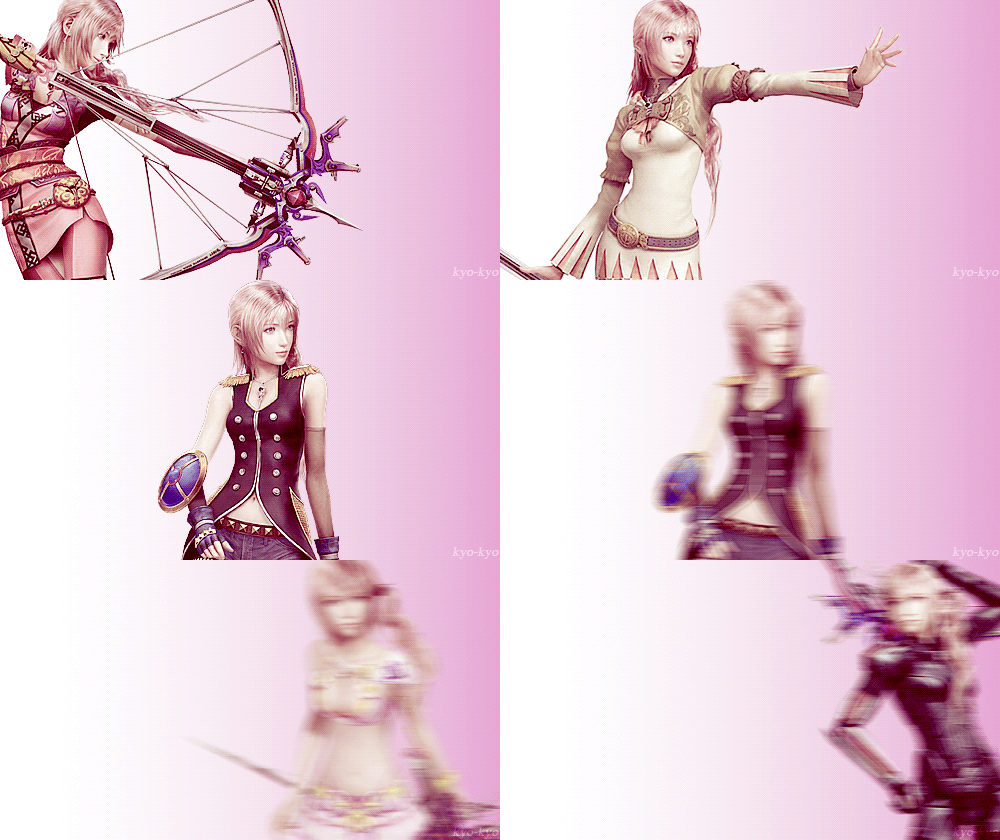
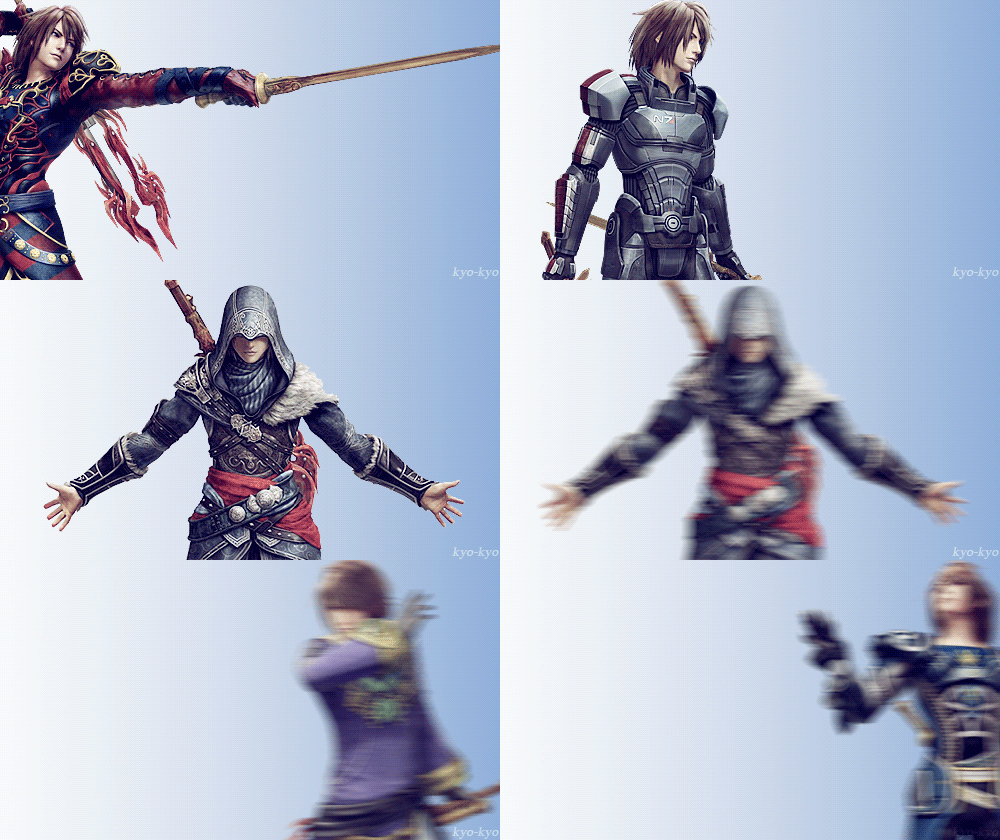
This is a quick turn table with block colours for the clothing taken in Zbrush.
Something that I wouldnt mind in the future (when I manage to make a decent character that is) would be to try the same character with different outfits. It's something very common now a days to be able to customise your character and certainly it adds a lot of appeal to a game.
Simply on the process of concept art of for the character me and Sarah came up with at least 6 different costumes, plus while sculpting it, I felt like changing it several times.
At some point I'd like to go to the extreme and add ridiculous amount of details like they do on final fantasy games :)
8.1.14
Xnormal
For the operation of baking the normals and other details once the whole model was done, I opted for using an external software instead of using Maya.
A quite popular option is the software called Xnormal which has a very 'technical' interface as there is no interaction with any kind of graphic or model.
The process consist in uploading a high poly mesh in one slot, a low resolution one in another sloth, calculate the min and max distance and select the kind of maps that you want to be processed.
In this case I wanted a normal, an occlusion and a convexity map.
These are the results I got. Notice that I'm considering the head as one object, along with the eyes, hair and inside mouth, and the body with the belts as another.

A quite popular option is the software called Xnormal which has a very 'technical' interface as there is no interaction with any kind of graphic or model.
The process consist in uploading a high poly mesh in one slot, a low resolution one in another sloth, calculate the min and max distance and select the kind of maps that you want to be processed.
In this case I wanted a normal, an occlusion and a convexity map.
These are the results I got. Notice that I'm considering the head as one object, along with the eyes, hair and inside mouth, and the body with the belts as another.
I highlighted some of the issues that I encounter because I've had small cavities or close objects. Probably this would have been less problematic if I had gone and done each individual item separately, but that would have been time consuming. A lot of problems with the normals on the fingers and some overlapping faces like the gloves and the front of the trousers. Also the part of the lips where they get close to eachother cause a lot of issues in all maps. Over all, they could have been better, but for the speed of the baking process I think I'll target this issues on photoshop this time, but for future projects I'll do my best to avoid them.
7.1.14
Clothing details
After spending weeks and weeks focusing in getting the face right I noticed that the body was made, but not polished at all.
I started re-sculpting pretty much everything because by this point I was more used to zbrush and its interface.
I started to get some ideas of the type if materials I wanted for each part of the clothing but because I really wanted to go into detail I had to look for close up references of stuff like the type of stitching and seams I wanted to go for. I found that a good place to look for this kind if references where clothing shops online where you can not only see every angle, but you can also zoom in when you place the mouse over (pretty much I used YesStyle).
For the top vest I wanted it to be all leather with some 'cushion' parts on the sides. The logo I've been using to 'brand' my project is an eagle-type logo which I want to include somehow in the clothing so I'll probably put it as a decorative symbol in the back.
Something I realised I didn't took in consideration when I originally drew the design was "how is he going to take the best off?". Not that he will, but part of the topics I wanted to touch on my essay was the believability so I couldn't let this little details pass by. I had to add an extra feature on the front where he could tide it up. Didn't go for a zipper because of the style I wanted to achieve so I used laces as if it was a corsette.
Things that I never thought I've be looking up such as types of stitching for different kind of materials certainly became a priority. This only made me realise how little attention I've been paying to my surroundings.
At this point I also discovered a very easy technique to simulate cloth within Zbrush that I will probably be using for the baggy shirt. Also the boots required a bit of attention as the integration of parts of metal weren't so common to find in other items.
I thought that adding the details was going to be laborious and repetitive, but luckily is incredibly easy to work out how to create stencils, brushes and alphas that can convert the stylus into a sewing matching :)
These are some screen shots of the details on most of the clothing. The next process will be retopologyising everything (probably everything in one single mesh). Hopefully the details will look good on the normal maps.


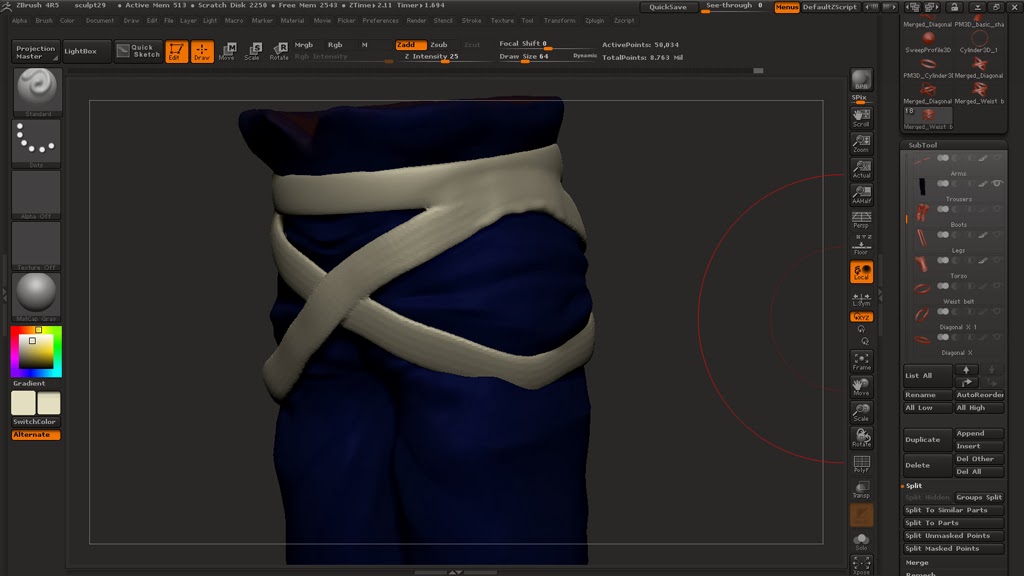


This is the detail on the back of the vest. I'm planning to use that 'eagle' as the logo of my project.


These are some screen shots of the details on most of the clothing. The next process will be retopologyising everything (probably everything in one single mesh). Hopefully the details will look good on the normal maps.
Vest:
Straps: (I had to retopologised them early on to get the sharp edges).
Gloves: I added some extra details that weren't on the original concept
Shirt:
Boots: I didn't like the original concept at, so before I took it to any details I ended up changing them pretty much entirely.
This is the detail on the back of the vest. I'm planning to use that 'eagle' as the logo of my project.
These are not final colours, it was just to block out the groups and get a rough idea. Polypaint is not something I planned to do as I'll be working manually on the textures after the UV's have been made.
Anatomy and loads of latin words
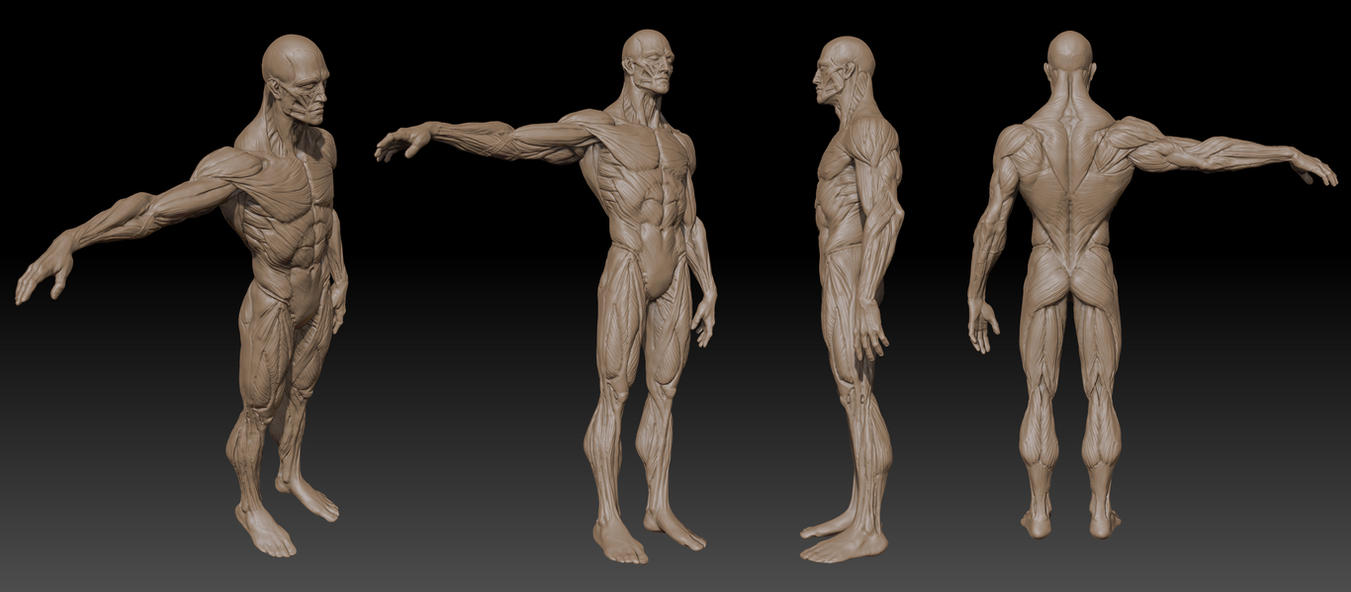
Something that was mentioned more than once by different artist during their sculpting tutorials was the importance of anatomy and the complete understanding of it.
Loads of names of muscles and bones where mentioned and once they realised that the audience might not have a clue of what they're on about, they would point out the amount of anatomical studies they've done just to get to the point of making something in good proportions. Regardless of whether is or not a realistic approach people target on their sculpting, a good anatomy is the key for a believable human model. This clearly leaves out the creation of anything alien or beast-like but even then, the understanding of it can help you create something imaginary and yet make it look logical and believable.
There are loads of sculptures through out time that have made majestic pieces of art, and that have made incredible studies of anatomy just to achieve their a certain piece of sculpture.
It was Gian Lorenzo Bernini's work that inspired me the most when it came to anatomy, because he not only had perfection on his anatomy, but he also expressed dynamism and over all, the feeling of human flesh.


When I looked at tutorials about anatomy they seemed long and complicated, therefore it added to the amount of stuff I need to study. So far I've done my best to look at tutorials, and even managed to get a hand on a very handy book that is used by the NHS to train their staff; it's the Anatomy colouring book. Despite the fact that I thought that it sounded childish, it turned out to be a quite handy way to learn this process and by doing so it kind of has a similarity of when you're sculpting with the digital tablet.
Either way my latin still a bit rusty and remembering names is not one of my strengths, so hopefully in time I'll be able to if not master, at least feel familiar with them and roughly know where they are.

Subscribe to:
Posts (Atom)